Yep, we may get a tiny thank-you (read: commission) when you buy through
links on Gadgetspotr — not enough for a yacht, but enough to keep the lights (and
servers) on.
Learn more
62
Highlights
140
Differences
0
Reactions
0
Likes
AtomStack X20 Pro
Facts:
170 Specifications & 62 Highlights
If general information, laser module, performance & capabilities & work area matters to you, this AtomStack X20 Pro laser engraver & cutter delivers. Alongside it, you get 170 total specs & features worth knowing.
A fast snapshot of the AtomStack X20 Pro, covering its standout specification and what you can expect right out of the box.
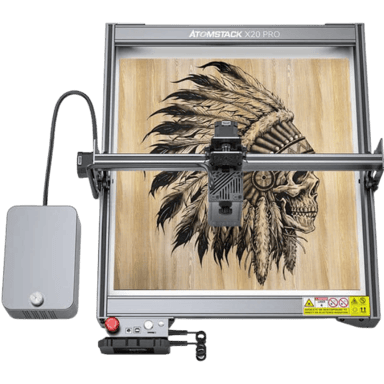
AtomStack X20 Pro
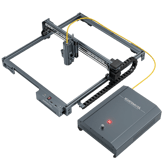
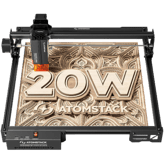
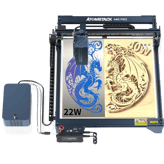
The AtomStack X20 Pro is a high-performance laser engraver and cutter that uses a powerful quad-core diode system to slice through thick materials like wood and acrylic in a single pass. It comes equipped with a built-in air assist kit that keeps your work clean and prevents charring, ensuring every project looks professional and polished. Designed for convenience, it supports offline operation and mobile app control, allowing you to bring your creative designs to life without needing a constant computer connection.
Specifications & Facts
170
Specs measured. Drama avoided.
Specs, performance, and value — we unpacked the AtomStack X20 Pro laser engraver & cutter across every angle. See how it stacks up against other laser engravers & cutters.
General Information
9
AtomStack X20 Pro
Machine Weight
What is the machine weight?
33.07
lbs
0Votes
Laser Engraver & Cutter in this range
Who knows?
(Help us out by suggesting one!)
AtomStack X20 Pro
The weight conversion is approximately 33.07 lbs (about 15.0 kg), which balances portability and stability.
Total weight of the machine.
Don’t keep it to yourself — be the first to react and review the
Machine Weight on AtomStack X20 Pro
◉ and help others decide!
AtomStack X20 Pro
Machine Width
What is the machine width?
22.44
inch
0Votes
Laser Engraver & Cutter in this range
Who knows?
(Help us out by suggesting one!)
AtomStack X20 Pro
Machine width is 22.44 inch or about 57.0 cm, providing a reasonably compact footprint suitable for desktop use.
Width of the machine footprint.
Don’t keep it to yourself — be the first to react and review the
Machine Width on AtomStack X20 Pro
◉ and help others decide!
AtomStack X20 Pro
Machine Depth
What is the machine depth?
23.62
inch
0Votes
Laser Engraver & Cutter in this range
Who knows?
(Help us out by suggesting one!)
AtomStack X20 Pro
Machine depth is 23.62 inch or roughly 60.0 cm, accounting for front-to-back space the machine occupies.
Depth of the machine footprint.
Don’t keep it to yourself — be the first to react and review the
Machine Depth on AtomStack X20 Pro
◉ and help others decide!
AtomStack X20 Pro
Machine Height
What is the machine height?
10.63
inch
0Votes
Laser Engraver & Cutter in this range
Who knows?
(Help us out by suggesting one!)
AtomStack X20 Pro
Machine height is 10.63 inch, about 27.0 cm, contributing to its compact desktop profile.
Total height of the machine.
Don’t keep it to yourself — be the first to react and review the
Machine Height on AtomStack X20 Pro
◉ and help others decide!
AtomStack X20 Pro
Supported Operating Systems
Which operating systems are supported?
0
AtomStack X20 Pro
0
Votes
Windows, macOS
Laser Engraver & Cutter in this range
Who knows?
(Help us out by suggesting one!)
Indicates OS compatibility for controlling software.
Don’t keep it to yourself — be the first to react and review the
Supported Operating Systems on AtomStack X20 Pro
◉ and help others decide!
AtomStack X20 Pro
Control Method
What is the control method?
0
AtomStack X20 Pro
0
Votes
Software, Offline
Laser Engraver & Cutter in this range
Who knows?
(Help us out by suggesting one!)
Defines how the user operates the machine.
Don’t keep it to yourself — be the first to react and review the
Control Method on AtomStack X20 Pro
◉ and help others decide!
AtomStack X20 Pro
Frame Type
What is the frame type?
0
AtomStack X20 Pro
0
Votes
Open Frame
Laser Engraver & Cutter in this range
Who knows?
(Help us out by suggesting one!)
Describes structural design of the machine.
Don’t keep it to yourself — be the first to react and review the
Frame Type on AtomStack X20 Pro
◉ and help others decide!
AtomStack X20 Pro
Product Type
What is the product type?
0
AtomStack X20 Pro
0
Votes
Laser Engraver Cutter
Laser Engraver & Cutter in this range
Who knows?
(Help us out by suggesting one!)
Defines the category of the machine.
Don’t keep it to yourself — be the first to react and review the
Product Type on AtomStack X20 Pro
◉ and help others decide!
AtomStack X20 Pro
Intended Use Cases
What are the intended use cases?
0
AtomStack X20 Pro
0
Votes
Hobby, Professional, Education
Laser Engraver & Cutter in this range
Who knows?
(Help us out by suggesting one!)
Describes user applications.
Don’t keep it to yourself — be the first to react and review the
Intended Use Cases on AtomStack X20 Pro
◉ and help others decide!
Laser Module
15
AtomStack X20 Pro
Laser Power Optical
What is the optical laser power?
20
Watt
0Votes
Laser Engraver & Cutter in this range
Who knows?
(Help us out by suggesting one!)
AtomStack X20 Pro
The optical laser power is 20 Watt, sufficient for cutting and engraving a variety of materials with good speed and detail.
The actual cutting/engraving power delivered to materials.
Don’t keep it to yourself — be the first to react and review the
Laser Power Optical on AtomStack X20 Pro
◉ and help others decide!
AtomStack X20 Pro
Laser Wavelength
What is the laser wavelength?
445
nm
0Votes
Laser Engraver & Cutter in this range
Who knows?
(Help us out by suggesting one!)
AtomStack X20 Pro
The laser wavelength is 445 nm, which is typical for blue diode lasers used in precision engraving and cutting.
Defines the wavelength of the emitted laser light.
Don’t keep it to yourself — be the first to react and review the
Laser Wavelength on AtomStack X20 Pro
◉ and help others decide!
AtomStack X20 Pro
Laser Focal Length
What is the focal length?
1.97
inch
0Votes
Laser Engraver & Cutter in this range
Who knows?
(Help us out by suggesting one!)
AtomStack X20 Pro
The laser focal length is 1.97 inch, approximately 5.0 cm, important for focusing the laser beam to achieve optimal cutting and engraving.
Distance from lens to optimal focus point.
Don’t keep it to yourself — be the first to react and review the
Laser Focal Length on AtomStack X20 Pro
◉ and help others decide!
AtomStack X20 Pro
Modulation Frequency
What is the modulation frequency?
10,000
Hz
0Votes
Laser Engraver & Cutter in this range
Who knows?
(Help us out by suggesting one!)
AtomStack X20 Pro
Modulation frequency is 10000 Hz, affecting the laser pulse characteristics and engraving quality.
Defines how fast the laser can pulse for engraving detail.
Don’t keep it to yourself — be the first to react and review the
Modulation Frequency on AtomStack X20 Pro
◉ and help others decide!
AtomStack X20 Pro
Laser Type
What is the laser type?
0
AtomStack X20 Pro
0
Votes
Diode
Laser Engraver & Cutter in this range
Who knows?
(Help us out by suggesting one!)
Indicates the type of laser module used.
Don’t keep it to yourself — be the first to react and review the
Laser Type on AtomStack X20 Pro
◉ and help others decide!
AtomStack X20 Pro
Laser Spot Size
What is the laser spot size?
0
AtomStack X20 Pro
0
Votes
0.08 x 0.1 mm
Laser Engraver & Cutter in this range
Who knows?
(Help us out by suggesting one!)
Defines the diameter of the focused laser spot.
Don’t keep it to yourself — be the first to react and review the
Laser Spot Size on AtomStack X20 Pro
◉ and help others decide!
AtomStack X20 Pro
Laser Cooling Method
What is the cooling method?
0
AtomStack X20 Pro
0
Votes
Air Cooling
Laser Engraver & Cutter in this range
Who knows?
(Help us out by suggesting one!)
Defines how the laser dissipates heat.
Don’t keep it to yourself — be the first to react and review the
Laser Cooling Method on AtomStack X20 Pro
◉ and help others decide!
AtomStack X20 Pro
Laser Classification
What is the laser classification?
0
AtomStack X20 Pro
0
Votes
Class 4
Laser Engraver & Cutter in this range
Who knows?
(Help us out by suggesting one!)
Indicates safety classification based on laser standards.
Don’t keep it to yourself — be the first to react and review the
Laser Classification on AtomStack X20 Pro
◉ and help others decide!
AtomStack X20 Pro
Laser Power Electrical Input
What is the electrical input power?
130
Watt
0Votes
Laser Engraver & Cutter in this range
Who knows?
(Help us out by suggesting one!)
Electrical input power needed to drive the laser.
Don’t keep it to yourself — be the first to react and review the
Laser Power Electrical Input on AtomStack X20 Pro
◉ and help others decide!
AtomStack X20 Pro
Adjustable Focus
Does it have adjustable focus?
Yes
0Votes
AtomStack X20 Pro
Laser Engraver & Cutter in this range
Who knows?
(Help us out by suggesting one!)
Allows manual adjustment of laser focusing height.
Don’t keep it to yourself — be the first to react and review the
Adjustable Focus on AtomStack X20 Pro
◉ and help others decide!
AtomStack X20 Pro
Autofocus
Does it support autofocus?
No
0Votes
AtomStack X20 Pro
Laser Engraver & Cutter in this range
Who knows?
(Help us out by suggesting one!)
Automatically adjusts focus for optimal performance.
Don’t keep it to yourself — be the first to react and review the
Autofocus on AtomStack X20 Pro
◉ and help others decide!
AtomStack X20 Pro
Beam Quality
What is the beam quality?
0
AtomStack X20 Pro
0
Votes
High
Laser Engraver & Cutter in this range
Who knows?
(Help us out by suggesting one!)
Describes the uniformity and stability of the beam.
Don’t keep it to yourself — be the first to react and review the
Beam Quality on AtomStack X20 Pro
◉ and help others decide!
AtomStack X20 Pro
Laser Lifespan
What is the laser lifespan?
10,000
hours
0Votes
Laser Engraver & Cutter in this range
Who knows?
(Help us out by suggesting one!)
Expected operational hours before degradation.
Don’t keep it to yourself — be the first to react and review the
Laser Lifespan on AtomStack X20 Pro
◉ and help others decide!
AtomStack X20 Pro
Laser Replaceability
Is the laser replaceable?
Yes
0Votes
AtomStack X20 Pro
Laser Engraver & Cutter in this range
Who knows?
(Help us out by suggesting one!)
Indicates whether the laser module can be replaced.
Don’t keep it to yourself — be the first to react and review the
Laser Replaceability on AtomStack X20 Pro
◉ and help others decide!
AtomStack X20 Pro
Laser Upgrade Compatibility
Is the laser upgrade-compatible?
Yes
0Votes
AtomStack X20 Pro
Laser Engraver & Cutter in this range
Who knows?
(Help us out by suggesting one!)
Allows upgrading to higher-power modules.
Don’t keep it to yourself — be the first to react and review the
Laser Upgrade Compatibility on AtomStack X20 Pro
◉ and help others decide!
Performance & Capabilities
16
AtomStack X20 Pro
Maximum Engraving Speed
What is the maximum engraving speed?
7.87
inch
0Votes
Laser Engraver & Cutter in this range
Who knows?
(Help us out by suggesting one!)
AtomStack X20 Pro
The maximum engraving speed is 7.87 inch (approximately 20.0 cm per second). This speed balances quality and production throughput.
The fastest speed at which the machine can engrave.
Don’t keep it to yourself — be the first to react and review the
Maximum Engraving Speed on AtomStack X20 Pro
◉ and help others decide!
AtomStack X20 Pro
Maximum Cutting Depth Wood
What is the maximum cutting depth for wood?
0.98
inch
0Votes
Laser Engraver & Cutter in this range
Who knows?
(Help us out by suggesting one!)
AtomStack X20 Pro
Maximum cutting depth for wood is 0.98 inch (about 2.5 cm), suitable for typical woodworking projects.
Deepest wood thickness the laser can cut in one pass.
Don’t keep it to yourself — be the first to react and review the
Maximum Cutting Depth Wood on AtomStack X20 Pro
◉ and help others decide!
AtomStack X20 Pro
Maximum Cutting Depth Acrylic
What is the maximum acrylic cutting depth?
1.18
inch
0Votes
Laser Engraver & Cutter in this range
Who knows?
(Help us out by suggesting one!)
AtomStack X20 Pro
Maximum cutting depth in acrylic is 1.18 inch, approximately 3.0 cm, enabling relatively thick acrylic fabrication.
Deepest acrylic thickness the machine can cut.
Don’t keep it to yourself — be the first to react and review the
Maximum Cutting Depth Acrylic on AtomStack X20 Pro
◉ and help others decide!
AtomStack X20 Pro
Maximum Cutting Depth Leather
What is the maximum leather cutting depth?
0.2
inch
0Votes
Laser Engraver & Cutter in this range
Who knows?
(Help us out by suggesting one!)
AtomStack X20 Pro
Maximum cutting depth for leather is 0.2 inch or about 0.51 cm, adequate for typical leather crafting needs.
Maximum depth of leather cutting ability.
Don’t keep it to yourself — be the first to react and review the
Maximum Cutting Depth Leather on AtomStack X20 Pro
◉ and help others decide!
AtomStack X20 Pro
Positioning Accuracy
What is the positioning accuracy?
0
inch
0Votes
Laser Engraver & Cutter in this range
Who knows?
(Help us out by suggesting one!)
AtomStack X20 Pro
Positioning accuracy is 0.0004 inch, approximately 0.0102 mm, ensuring precise laser movements for fine detail work.
Defines how close the system can position the laser head to exact coordinates.
Don’t keep it to yourself — be the first to react and review the
Positioning Accuracy on AtomStack X20 Pro
◉ and help others decide!
AtomStack X20 Pro
Repeatability
What is the repeatability value?
0
inch
0Votes
Laser Engraver & Cutter in this range
Who knows?
(Help us out by suggesting one!)
AtomStack X20 Pro
Repeatability matches positioning accuracy at 0.0004 inch (about 0.0102 mm), ensuring consistent precision across jobs.
Consistency of repeated movements to the same location.
Don’t keep it to yourself — be the first to react and review the
Repeatability on AtomStack X20 Pro
◉ and help others decide!
AtomStack X20 Pro
Supported Line Thickness
What is the supported line thickness?
0
inch
0Votes
Laser Engraver & Cutter in this range
Who knows?
(Help us out by suggesting one!)
AtomStack X20 Pro
Supported line thickness starts from 0.0039 inch, about 0.1 mm, allowing very fine engraving detail.
Minimum and maximum thickness of engraved lines.
Don’t keep it to yourself — be the first to react and review the
Supported Line Thickness on AtomStack X20 Pro
◉ and help others decide!
AtomStack X20 Pro
Supported Resolution DPI
What is the supported DPI?
1,000
DPI
0Votes
Laser Engraver & Cutter in this range
Who knows?
(Help us out by suggesting one!)
AtomStack X20 Pro
Supported resolution is 1000 DPI, providing fine detail capability in engraving and cutting.
Maximum engraving resolution measured in DPI.
Don’t keep it to yourself — be the first to react and review the
Supported Resolution DPI on AtomStack X20 Pro
◉ and help others decide!
AtomStack X20 Pro
Maximum Cutting Speed
What is the maximum cutting speed?
15.75
inch
0Votes
Laser Engraver & Cutter in this range
Who knows?
(Help us out by suggesting one!)
The fastest speed at which the machine can cut materials.
Don’t keep it to yourself — be the first to react and review the
Maximum Cutting Speed on AtomStack X20 Pro
◉ and help others decide!
AtomStack X20 Pro
Maximum Cutting Depth Metal Assisted
What is the maximum assisted metal cutting depth?
0
inch
0Votes
Laser Engraver & Cutter in this range
Who knows?
(Help us out by suggesting one!)
Depth of metal cutting with external assistance (air/oxygen).
Don’t keep it to yourself — be the first to react and review the
Maximum Cutting Depth Metal Assisted on AtomStack X20 Pro
◉ and help others decide!
AtomStack X20 Pro
Engraving Precision
What is the engraving precision?
0
inch
0Votes
Laser Engraver & Cutter in this range
Who knows?
(Help us out by suggesting one!)
Refers to the smallest detectable engraving detail.
Don’t keep it to yourself — be the first to react and review the
Engraving Precision on AtomStack X20 Pro
◉ and help others decide!
AtomStack X20 Pro
Pass Through Operation
Does it support pass-through operation?
No
0Votes
AtomStack X20 Pro
Laser Engraver & Cutter in this range
Who knows?
(Help us out by suggesting one!)
Allows long materials to pass through the machine for oversized work.
Don’t keep it to yourself — be the first to react and review the
Pass Through Operation on AtomStack X20 Pro
◉ and help others decide!
AtomStack X20 Pro
Flame Detection
Does it have flame detection?
Yes
0Votes
AtomStack X20 Pro
Laser Engraver & Cutter in this range
Who knows?
(Help us out by suggesting one!)
System detects flame formation during cutting.
Don’t keep it to yourself — be the first to react and review the
Flame Detection on AtomStack X20 Pro
◉ and help others decide!
AtomStack X20 Pro
Tilt Detection
Does it include tilt detection?
Yes
0Votes
AtomStack X20 Pro
Laser Engraver & Cutter in this range
Who knows?
(Help us out by suggesting one!)
Detects tilting or instability to prevent accidents.
Don’t keep it to yourself — be the first to react and review the
Tilt Detection on AtomStack X20 Pro
◉ and help others decide!
AtomStack X20 Pro
Vibration Compensation
Does it have vibration compensation?
No
0Votes
AtomStack X20 Pro
Laser Engraver & Cutter in this range
Who knows?
(Help us out by suggesting one!)
System that stabilizes engraving against vibrations.
Don’t keep it to yourself — be the first to react and review the
Vibration Compensation on AtomStack X20 Pro
◉ and help others decide!
AtomStack X20 Pro
Real Time Preview Capability
Does it have real-time preview?
No
0Votes
AtomStack X20 Pro
Laser Engraver & Cutter in this range
Who knows?
(Help us out by suggesting one!)
Provides live preview of engraving position.
Don’t keep it to yourself — be the first to react and review the
Real Time Preview Capability on AtomStack X20 Pro
◉ and help others decide!
Work Area
15
AtomStack X20 Pro
Work Area Width
What is the work area width?
15.75
inch
0Votes
Laser Engraver & Cutter in this range
Who knows?
(Help us out by suggesting one!)
AtomStack X20 Pro
Work area width is 15.75 inch or about 40.0 cm, defining the side-to-side space for projects.
The usable horizontal workspace width.
Don’t keep it to yourself — be the first to react and review the
Work Area Width on AtomStack X20 Pro
◉ and help others decide!
AtomStack X20 Pro
Work Area Depth
What is the work area depth?
15.75
inch
0Votes
Laser Engraver & Cutter in this range
Who knows?
(Help us out by suggesting one!)
AtomStack X20 Pro
Work area depth is 15.75 inch, which equals 40.0 cm, defining the front-to-back usable space for engraving or cutting.
The usable horizontal workspace depth.
Don’t keep it to yourself — be the first to react and review the
Work Area Depth on AtomStack X20 Pro
◉ and help others decide!
AtomStack X20 Pro
Work Area Height Clearance
What is the height clearance?
3.1
inch
0Votes
Laser Engraver & Cutter in this range
Who knows?
(Help us out by suggesting one!)
AtomStack X20 Pro
Work area height clearance is 3.1 inch or about 7.87 cm, limiting the maximum thickness of material that can be placed inside without risers.
Maximum allowable material height under the laser.
Don’t keep it to yourself — be the first to react and review the
Work Area Height Clearance on AtomStack X20 Pro
◉ and help others decide!
AtomStack X20 Pro
Max Material Height Without Riser
What is the max material height without riser?
3.1
inch
0Votes
Laser Engraver & Cutter in this range
Who knows?
(Help us out by suggesting one!)
AtomStack X20 Pro
Maximum material height without riser is 3.1 inch, equivalent to about 7.87 cm. This limits maximum material thickness for flat placement.
Maximum object height supported on the base level.
Don’t keep it to yourself — be the first to react and review the
Max Material Height Without Riser on AtomStack X20 Pro
◉ and help others decide!
AtomStack X20 Pro
Max Material Height With Riser
What is the max material height with riser?
5.9
inch
0Votes
Laser Engraver & Cutter in this range
Who knows?
(Help us out by suggesting one!)
AtomStack X20 Pro
Maximum material height with riser is 5.9 inch, about 15.0 cm, permitting thicker materials or objects when elevated.
Maximum material height supported when a riser is installed.
Don’t keep it to yourself — be the first to react and review the
Max Material Height With Riser on AtomStack X20 Pro
◉ and help others decide!
AtomStack X20 Pro
Work Style
What is the work style?
0
AtomStack X20 Pro
0
Votes
Open
Laser Engraver & Cutter in this range
Who knows?
(Help us out by suggesting one!)
Indicates whether the device operates in open air or inside a chamber.
Don’t keep it to yourself — be the first to react and review the
Work Style on AtomStack X20 Pro
◉ and help others decide!
AtomStack X20 Pro
Expandable Work Area
Is the work area expandable?
Yes
0Votes
AtomStack X20 Pro
Laser Engraver & Cutter in this range
Who knows?
(Help us out by suggesting one!)
Indicates if the workspace can be expanded with extensions.
Don’t keep it to yourself — be the first to react and review the
Expandable Work Area on AtomStack X20 Pro
◉ and help others decide!
AtomStack X20 Pro
Rotary Engraving
Does it support rotary engraving?
Yes
0Votes
AtomStack X20 Pro
Laser Engraver & Cutter in this range
Who knows?
(Help us out by suggesting one!)
Indicates support for rotary modules for cylindrical engraving.
Don’t keep it to yourself — be the first to react and review the
Rotary Engraving on AtomStack X20 Pro
◉ and help others decide!
AtomStack X20 Pro
Honeycomb Bed
Is a honeycomb bed included?
No
0Votes
AtomStack X20 Pro
Laser Engraver & Cutter in this range
Who knows?
(Help us out by suggesting one!)
Indicates whether a honeycomb bed is included for airflow and cut quality.
Don’t keep it to yourself — be the first to react and review the
Honeycomb Bed on AtomStack X20 Pro
◉ and help others decide!
AtomStack X20 Pro
Removable Base
Does it have a removable base?
No
0Votes
AtomStack X20 Pro
Laser Engraver & Cutter in this range
Who knows?
(Help us out by suggesting one!)
Allows the bottom panel to be removed for large or tall objects.
Don’t keep it to yourself — be the first to react and review the
Removable Base on AtomStack X20 Pro
◉ and help others decide!
AtomStack X20 Pro
Work Surface Type
What is the work surface type?
0
AtomStack X20 Pro
0
Votes
Mesh
Laser Engraver & Cutter in this range
Who knows?
(Help us out by suggesting one!)
Describes the type of workspace material sits on.
Don’t keep it to yourself — be the first to react and review the
Work Surface Type on AtomStack X20 Pro
◉ and help others decide!
AtomStack X20 Pro
Grid Marking Reference
Does it have grid markings?
Yes
0Votes
AtomStack X20 Pro
Laser Engraver & Cutter in this range
Who knows?
(Help us out by suggesting one!)
Indicates whether the workspace has grid lines for alignment.
Don’t keep it to yourself — be the first to react and review the
Grid Marking Reference on AtomStack X20 Pro
◉ and help others decide!
AtomStack X20 Pro
Bed Leveling Method
What is the bed leveling method?
0
AtomStack X20 Pro
0
Votes
Manual
Laser Engraver & Cutter in this range
Who knows?
(Help us out by suggesting one!)
Shows how the work bed is leveled for consistency.
Don’t keep it to yourself — be the first to react and review the
Bed Leveling Method on AtomStack X20 Pro
◉ and help others decide!
AtomStack X20 Pro
Material Pass Through Size
What is the material pass-through size?
0
inch
0Votes
Laser Engraver & Cutter in this range
Who knows?
(Help us out by suggesting one!)
Maximum thickness of material that can pass through if supported.
Don’t keep it to yourself — be the first to react and review the
Material Pass Through Size on AtomStack X20 Pro
◉ and help others decide!
AtomStack X20 Pro
Clamping Hold Down System
What clamping system is used?
0
AtomStack X20 Pro
0
Votes
Magnetic Clamps
Laser Engraver & Cutter in this range
Who knows?
(Help us out by suggesting one!)
Method used to secure materials during cutting.
Don’t keep it to yourself — be the first to react and review the
Clamping Hold Down System on AtomStack X20 Pro
◉ and help others decide!
Material Compatibility
17
AtomStack X20 Pro
Material Thickness Limit
What is the maximum material thickness limit?
0.6
inch
0Votes
Laser Engraver & Cutter in this range
Who knows?
(Help us out by suggesting one!)
AtomStack X20 Pro
Material thickness limit is 0.6 inch, or about 1.52 cm, which is the maximum thickness for effective laser cutting or engraving on this machine.
Maximum thickness of material the machine can handle.
Don’t keep it to yourself — be the first to react and review the
Material Thickness Limit on AtomStack X20 Pro
◉ and help others decide!
AtomStack X20 Pro
Wood Engraving Capability
Can it engrave wood?
Yes
0Votes
AtomStack X20 Pro
Laser Engraver & Cutter in this range
Who knows?
(Help us out by suggesting one!)
Ability to engrave various types of wood.
Don’t keep it to yourself — be the first to react and review the
Wood Engraving Capability on AtomStack X20 Pro
◉ and help others decide!
AtomStack X20 Pro
Wood Cutting Capability
Can it cut wood?
Yes
0Votes
AtomStack X20 Pro
Laser Engraver & Cutter in this range
Who knows?
(Help us out by suggesting one!)
Ability to cut through wood materials.
Don’t keep it to yourself — be the first to react and review the
Wood Cutting Capability on AtomStack X20 Pro
◉ and help others decide!
AtomStack X20 Pro
Acrylic Engraving
Can it engrave acrylic?
Yes
0Votes
AtomStack X20 Pro
Laser Engraver & Cutter in this range
Who knows?
(Help us out by suggesting one!)
Ability to engrave acrylic surfaces.
Don’t keep it to yourself — be the first to react and review the
Acrylic Engraving on AtomStack X20 Pro
◉ and help others decide!
AtomStack X20 Pro
Acrylic Cutting
Can it cut acrylic?
Yes
0Votes
AtomStack X20 Pro
Laser Engraver & Cutter in this range
Who knows?
(Help us out by suggesting one!)
Ability to cut acrylic sheets.
Don’t keep it to yourself — be the first to react and review the
Acrylic Cutting on AtomStack X20 Pro
◉ and help others decide!
AtomStack X20 Pro
Leather Engraving
Can it engrave leather?
Yes
0Votes
AtomStack X20 Pro
Laser Engraver & Cutter in this range
Who knows?
(Help us out by suggesting one!)
Ability to engrave leather materials.
Don’t keep it to yourself — be the first to react and review the
Leather Engraving on AtomStack X20 Pro
◉ and help others decide!
AtomStack X20 Pro
Leather Cutting
Can it cut leather?
Yes
0Votes
AtomStack X20 Pro
Laser Engraver & Cutter in this range
Who knows?
(Help us out by suggesting one!)
Ability to cut leather materials.
Don’t keep it to yourself — be the first to react and review the
Leather Cutting on AtomStack X20 Pro
◉ and help others decide!
AtomStack X20 Pro
Fabric Engraving
Can it engrave fabric?
Yes
0Votes
AtomStack X20 Pro
Laser Engraver & Cutter in this range
Who knows?
(Help us out by suggesting one!)
Ability to engrave textiles.
Don’t keep it to yourself — be the first to react and review the
Fabric Engraving on AtomStack X20 Pro
◉ and help others decide!
AtomStack X20 Pro
Fabric Cutting
Can it cut fabric?
Yes
0Votes
AtomStack X20 Pro
Laser Engraver & Cutter in this range
Who knows?
(Help us out by suggesting one!)
Ability to cut textile materials.
Don’t keep it to yourself — be the first to react and review the
Fabric Cutting on AtomStack X20 Pro
◉ and help others decide!
AtomStack X20 Pro
Rubber Engraving
Can it engrave rubber?
Yes
0Votes
AtomStack X20 Pro
Laser Engraver & Cutter in this range
Who knows?
(Help us out by suggesting one!)
Ability to engrave rubber materials.
Don’t keep it to yourself — be the first to react and review the
Rubber Engraving on AtomStack X20 Pro
◉ and help others decide!
AtomStack X20 Pro
Metal Engraving Bare
Can it engrave bare metal?
No
0Votes
AtomStack X20 Pro
Laser Engraver & Cutter in this range
Who knows?
(Help us out by suggesting one!)
Ability to engrave untreated/bare metal.
Don’t keep it to yourself — be the first to react and review the
Metal Engraving Bare on AtomStack X20 Pro
◉ and help others decide!
AtomStack X20 Pro
Metal Engraving Coated Anodized
Can it engrave coated or anodized metal?
Yes
0Votes
AtomStack X20 Pro
Laser Engraver & Cutter in this range
Who knows?
(Help us out by suggesting one!)
Ability to engrave coated or anodized metals.
Don’t keep it to yourself — be the first to react and review the
Metal Engraving Coated Anodized on AtomStack X20 Pro
◉ and help others decide!
AtomStack X20 Pro
Metal Cutting Assisted
Can it cut metal with assistance?
No
0Votes
AtomStack X20 Pro
Laser Engraver & Cutter in this range
Who knows?
(Help us out by suggesting one!)
Ability to cut metal using assisted methods (air/oxygen).
Don’t keep it to yourself — be the first to react and review the
Metal Cutting Assisted on AtomStack X20 Pro
◉ and help others decide!
AtomStack X20 Pro
Glass Engraving
Can it engrave glass?
Yes
0Votes
AtomStack X20 Pro
Laser Engraver & Cutter in this range
Who knows?
(Help us out by suggesting one!)
Ability to engrave glass surfaces.
Don’t keep it to yourself — be the first to react and review the
Glass Engraving on AtomStack X20 Pro
◉ and help others decide!
AtomStack X20 Pro
Stone Engraving
Can it engrave stone?
Yes
0Votes
AtomStack X20 Pro
Laser Engraver & Cutter in this range
Who knows?
(Help us out by suggesting one!)
Ability to engrave stone surfaces.
Don’t keep it to yourself — be the first to react and review the
Stone Engraving on AtomStack X20 Pro
◉ and help others decide!
AtomStack X20 Pro
Ceramic Engraving
Can it engrave ceramic?
Yes
0Votes
AtomStack X20 Pro
Laser Engraver & Cutter in this range
Who knows?
(Help us out by suggesting one!)
Ability to engrave ceramic materials.
Don’t keep it to yourself — be the first to react and review the
Ceramic Engraving on AtomStack X20 Pro
◉ and help others decide!
AtomStack X20 Pro
Food Engraving
Can it engrave food?
Yes
0Votes
AtomStack X20 Pro
Laser Engraver & Cutter in this range
Who knows?
(Help us out by suggesting one!)
Ability to engrave edible items.
Don’t keep it to yourself — be the first to react and review the
Food Engraving on AtomStack X20 Pro
◉ and help others decide!
Software & Connectivity
12
AtomStack X20 Pro
File Format Compatibility
Which file formats are supported?
0
AtomStack X20 Pro
0
Votes
SVG, PNG, JPG, BMP, DXF, PDF
Laser Engraver & Cutter in this range
Who knows?
(Help us out by suggesting one!)
AtomStack X20 Pro
File format compatibility includes popular vector and raster formats such as SVG, PNG, JPG, BMP, DXF, and PDF, providing flexibility to import diverse designs.
Types of files the machine can import.
Don’t keep it to yourself — be the first to react and review the
File Format Compatibility on AtomStack X20 Pro
◉ and help others decide!
AtomStack X20 Pro
Proprietary Software Support
Does it support proprietary software?
Yes
0Votes
AtomStack X20 Pro
Laser Engraver & Cutter in this range
Who knows?
(Help us out by suggesting one!)
Indicates support for the manufacturer’s official software.
Don’t keep it to yourself — be the first to react and review the
Proprietary Software Support on AtomStack X20 Pro
◉ and help others decide!
AtomStack X20 Pro
Third Party Software Support
Does it support third-party software?
Yes
0Votes
AtomStack X20 Pro
Laser Engraver & Cutter in this range
Who knows?
(Help us out by suggesting one!)
Ability to use external programs like LightBurn or LaserGRBL.
Don’t keep it to yourself — be the first to react and review the
Third Party Software Support on AtomStack X20 Pro
◉ and help others decide!
AtomStack X20 Pro
Mobile App Support
Does it support a mobile app?
Yes
0Votes
AtomStack X20 Pro
Laser Engraver & Cutter in this range
Who knows?
(Help us out by suggesting one!)
Indicates whether a mobile application can control the machine.
Don’t keep it to yourself — be the first to react and review the
Mobile App Support on AtomStack X20 Pro
◉ and help others decide!
AtomStack X20 Pro
Wi Fi Connectivity
Does it have Wi-Fi connectivity?
Yes
0Votes
AtomStack X20 Pro
Laser Engraver & Cutter in this range
Who knows?
(Help us out by suggesting one!)
Ability to connect wirelessly via Wi-Fi.
Don’t keep it to yourself — be the first to react and review the
Wi Fi Connectivity on AtomStack X20 Pro
◉ and help others decide!
AtomStack X20 Pro
Bluetooth Connectivity
Does it have Bluetooth?
Yes
0Votes
AtomStack X20 Pro
Laser Engraver & Cutter in this range
Who knows?
(Help us out by suggesting one!)
Ability to pair with devices via Bluetooth.
Don’t keep it to yourself — be the first to react and review the
Bluetooth Connectivity on AtomStack X20 Pro
◉ and help others decide!
AtomStack X20 Pro
USB Connectivity
Does it have USB connectivity?
Yes
0Votes
AtomStack X20 Pro
Laser Engraver & Cutter in this range
Who knows?
(Help us out by suggesting one!)
Indicates support for USB cable or flash drive.
Don’t keep it to yourself — be the first to react and review the
USB Connectivity on AtomStack X20 Pro
◉ and help others decide!
AtomStack X20 Pro
Offline Operation
Can it operate offline?
Yes
0Votes
AtomStack X20 Pro
Laser Engraver & Cutter in this range
Who knows?
(Help us out by suggesting one!)
Ability to run jobs without a computer or network.
Don’t keep it to yourself — be the first to react and review the
Offline Operation on AtomStack X20 Pro
◉ and help others decide!
AtomStack X20 Pro
Cloud Storage
Does it support cloud storage?
No
0Votes
AtomStack X20 Pro
Laser Engraver & Cutter in this range
Who knows?
(Help us out by suggesting one!)
Supports storing and managing jobs via cloud platform.
Don’t keep it to yourself — be the first to react and review the
Cloud Storage on AtomStack X20 Pro
◉ and help others decide!
AtomStack X20 Pro
Camera Alignment System
Does it have a camera alignment system?
No
0Votes
AtomStack X20 Pro
Laser Engraver & Cutter in this range
Who knows?
(Help us out by suggesting one!)
Indicates whether a camera helps with job positioning.
Don’t keep it to yourself — be the first to react and review the
Camera Alignment System on AtomStack X20 Pro
◉ and help others decide!
AtomStack X20 Pro
Job Queue Management
Does it support job queue management?
No
0Votes
AtomStack X20 Pro
Laser Engraver & Cutter in this range
Who knows?
(Help us out by suggesting one!)
Ability to line up multiple jobs for continuous operation.
Don’t keep it to yourself — be the first to react and review the
Job Queue Management on AtomStack X20 Pro
◉ and help others decide!
AtomStack X20 Pro
Firmware Update Method
What is the firmware update method?
0
AtomStack X20 Pro
0
Votes
USB
Laser Engraver & Cutter in this range
Who knows?
(Help us out by suggesting one!)
How the device receives firmware updates.
Don’t keep it to yourself — be the first to react and review the
Firmware Update Method on AtomStack X20 Pro
◉ and help others decide!
Safety & Protection Features
16
AtomStack X20 Pro
Emergency Stop Button
Does it have an emergency stop button?
Yes
0Votes
AtomStack X20 Pro
Laser Engraver & Cutter in this range
Who knows?
(Help us out by suggesting one!)
Allows immediate shutdown of the laser in emergencies.
Don’t keep it to yourself — be the first to react and review the
Emergency Stop Button on AtomStack X20 Pro
◉ and help others decide!
AtomStack X20 Pro
Enclosure Protection
Does it have enclosure protection?
No
0Votes
AtomStack X20 Pro
Laser Engraver & Cutter in this range
Who knows?
(Help us out by suggesting one!)
Prevents laser exposure via enclosed housing.
Don’t keep it to yourself — be the first to react and review the
Enclosure Protection on AtomStack X20 Pro
◉ and help others decide!
AtomStack X20 Pro
Safety Sensors
Does it include safety sensors?
Yes
0Votes
AtomStack X20 Pro
Laser Engraver & Cutter in this range
Who knows?
(Help us out by suggesting one!)
Detects unsafe conditions during operation.
Don’t keep it to yourself — be the first to react and review the
Safety Sensors on AtomStack X20 Pro
◉ and help others decide!
AtomStack X20 Pro
Overheat Protection
Does it have overheat protection?
Yes
0Votes
AtomStack X20 Pro
Laser Engraver & Cutter in this range
Who knows?
(Help us out by suggesting one!)
Automatically stops operation if internal temperature is too high.
Don’t keep it to yourself — be the first to react and review the
Overheat Protection on AtomStack X20 Pro
◉ and help others decide!
AtomStack X20 Pro
Fire Detection System
Does it have fire detection?
Yes
0Votes
AtomStack X20 Pro
Laser Engraver & Cutter in this range
Who knows?
(Help us out by suggesting one!)
Detects flames during cutting or engraving.
Don’t keep it to yourself — be the first to react and review the
Fire Detection System on AtomStack X20 Pro
◉ and help others decide!
AtomStack X20 Pro
Auto Pause on Movement
Does it auto-pause when moved?
Yes
0Votes
AtomStack X20 Pro
Laser Engraver & Cutter in this range
Who knows?
(Help us out by suggesting one!)
Pauses job if machine is bumped or moved.
Don’t keep it to yourself — be the first to react and review the
Auto Pause on Movement on AtomStack X20 Pro
◉ and help others decide!
AtomStack X20 Pro
Auto Shutoff
Does it have auto-shutoff?
Yes
0Votes
AtomStack X20 Pro
Laser Engraver & Cutter in this range
Who knows?
(Help us out by suggesting one!)
Shuts down automatically after job completion or hazard detection.
Don’t keep it to yourself — be the first to react and review the
Auto Shutoff on AtomStack X20 Pro
◉ and help others decide!
AtomStack X20 Pro
Eye Protection Shield
Does it have an eye protection shield?
Yes
0Votes
AtomStack X20 Pro
Laser Engraver & Cutter in this range
Who knows?
(Help us out by suggesting one!)
Built-in shield reduces exposure to laser light.
Don’t keep it to yourself — be the first to react and review the
Eye Protection Shield on AtomStack X20 Pro
◉ and help others decide!
AtomStack X20 Pro
Safety Certification Standards
What safety certifications does it have?
0
AtomStack X20 Pro
0
Votes
CE, FCC
Laser Engraver & Cutter in this range
Who knows?
(Help us out by suggesting one!)
Certifications indicating regulatory compliance.
Don’t keep it to yourself — be the first to react and review the
Safety Certification Standards on AtomStack X20 Pro
◉ and help others decide!
AtomStack X20 Pro
Exhaust Safety Interlock
Does it have an exhaust safety interlock?
No
0Votes
AtomStack X20 Pro
Laser Engraver & Cutter in this range
Who knows?
(Help us out by suggesting one!)
Prevents operation if exhaust system is improperly connected.
Don’t keep it to yourself — be the first to react and review the
Exhaust Safety Interlock on AtomStack X20 Pro
◉ and help others decide!
AtomStack X20 Pro
Laser Key Lock
Does it have a laser key lock?
No
0Votes
AtomStack X20 Pro
Laser Engraver & Cutter in this range
Who knows?
(Help us out by suggesting one!)
Prevents unauthorized activation of the laser.
Don’t keep it to yourself — be the first to react and review the
Laser Key Lock on AtomStack X20 Pro
◉ and help others decide!
AtomStack X20 Pro
Child Lock
Does it have a child lock?
No
0Votes
AtomStack X20 Pro
Laser Engraver & Cutter in this range
Who knows?
(Help us out by suggesting one!)
Prevents children from operating the machine.
Don’t keep it to yourself — be the first to react and review the
Child Lock on AtomStack X20 Pro
◉ and help others decide!
AtomStack X20 Pro
Door Sensor
Does it have a door sensor?
No
0Votes
AtomStack X20 Pro
Laser Engraver & Cutter in this range
Who knows?
(Help us out by suggesting one!)
Pauses/shuts laser when enclosure door is opened.
Don’t keep it to yourself — be the first to react and review the
Door Sensor on AtomStack X20 Pro
◉ and help others decide!
AtomStack X20 Pro
Light Filtering Cover
Does it have a light filtering cover?
Yes
0Votes
AtomStack X20 Pro
Laser Engraver & Cutter in this range
Who knows?
(Help us out by suggesting one!)
Reduces harmful laser light during operation.
Don’t keep it to yourself — be the first to react and review the
Light Filtering Cover on AtomStack X20 Pro
◉ and help others decide!
AtomStack X20 Pro
Smoke Detection
Does it have smoke detection?
No
0Votes
AtomStack X20 Pro
Laser Engraver & Cutter in this range
Who knows?
(Help us out by suggesting one!)
Detects smoke buildup during cutting.
Don’t keep it to yourself — be the first to react and review the
Smoke Detection on AtomStack X20 Pro
◉ and help others decide!
AtomStack X20 Pro
Error Alert Notifications
Does it provide error alerts?
Yes
0Votes
AtomStack X20 Pro
Laser Engraver & Cutter in this range
Who knows?
(Help us out by suggesting one!)
Provides alerts for malfunctions or unsafe conditions.
Don’t keep it to yourself — be the first to react and review the
Error Alert Notifications on AtomStack X20 Pro
◉ and help others decide!
Power & Electrical
13
AtomStack X20 Pro
Power Consumption
What is the power consumption?
130
Watt
0Votes
Laser Engraver & Cutter in this range
Who knows?
(Help us out by suggesting one!)
AtomStack X20 Pro
The power consumption under typical use is 130 Watt, which is moderate for a laser engraver of this class.
Amount of power the machine uses during operation.
Don’t keep it to yourself — be the first to react and review the
Power Consumption on AtomStack X20 Pro
◉ and help others decide!
AtomStack X20 Pro
Power Supply Efficiency
What is the power supply efficiency?
85
%
0Votes
Laser Engraver & Cutter in this range
Who knows?
(Help us out by suggesting one!)
AtomStack X20 Pro
Power supply efficiency is 85%, indicating good energy conversion and reduced wasted power.
Energy conversion efficiency of the power supply.
Don’t keep it to yourself — be the first to react and review the
Power Supply Efficiency on AtomStack X20 Pro
◉ and help others decide!
AtomStack X20 Pro
Cord Length
What is the cord length?
5
ft
0Votes
Laser Engraver & Cutter in this range
Who knows?
(Help us out by suggesting one!)
AtomStack X20 Pro
The power cord length is 5 ft (approximately 1.52 m), offering sufficient reach for typical workspace setups.
Length of the included power cord.
Don’t keep it to yourself — be the first to react and review the
Cord Length on AtomStack X20 Pro
◉ and help others decide!
AtomStack X20 Pro
Peak Power Draw
What is the peak power draw?
130
Watt
0Votes
Laser Engraver & Cutter in this range
Who knows?
(Help us out by suggesting one!)
AtomStack X20 Pro
The peak power draw is at a robust 130 Watt, indicating the machine's power requirement at maximum operation.
Maximum wattage during demanding tasks.
Don’t keep it to yourself — be the first to react and review the
Peak Power Draw on AtomStack X20 Pro
◉ and help others decide!
AtomStack X20 Pro
Input Voltage
What is the input voltage?
110
Volt
0Votes
Laser Engraver & Cutter in this range
Who knows?
(Help us out by suggesting one!)
Required operating voltage for the machine.
Don’t keep it to yourself — be the first to react and review the
Input Voltage on AtomStack X20 Pro
◉ and help others decide!
AtomStack X20 Pro
Power Supply Type
What is the power supply type?
0
AtomStack X20 Pro
0
Votes
External
Laser Engraver & Cutter in this range
Who knows?
(Help us out by suggesting one!)
Type of power supply structure used.
Don’t keep it to yourself — be the first to react and review the
Power Supply Type on AtomStack X20 Pro
◉ and help others decide!
AtomStack X20 Pro
Electrical Certifications
What electrical certifications are included?
0
AtomStack X20 Pro
0
Votes
CE, FCC
Laser Engraver & Cutter in this range
Who knows?
(Help us out by suggesting one!)
Indicates compliance with electrical safety standards.
Don’t keep it to yourself — be the first to react and review the
Electrical Certifications on AtomStack X20 Pro
◉ and help others decide!
AtomStack X20 Pro
Surge Protection
Does it have surge protection?
No
0Votes
AtomStack X20 Pro
Laser Engraver & Cutter in this range
Who knows?
(Help us out by suggesting one!)
Protects the laser from electrical surges.
Don’t keep it to yourself — be the first to react and review the
Surge Protection on AtomStack X20 Pro
◉ and help others decide!
AtomStack X20 Pro
Operating Energy Mode
What is the operating energy mode?
0
AtomStack X20 Pro
0
Votes
Standard
Laser Engraver & Cutter in this range
Who knows?
(Help us out by suggesting one!)
Defines energy consumption behavior during operation.
Don’t keep it to yourself — be the first to react and review the
Operating Energy Mode on AtomStack X20 Pro
◉ and help others decide!
AtomStack X20 Pro
Idle Energy Mode
What is the idle energy mode?
0
AtomStack X20 Pro
0
Votes
Low Power
Laser Engraver & Cutter in this range
Who knows?
(Help us out by suggesting one!)
Defines energy usage when machine is idle.
Don’t keep it to yourself — be the first to react and review the
Idle Energy Mode on AtomStack X20 Pro
◉ and help others decide!
AtomStack X20 Pro
Internal Battery Support
Does it support internal battery?
No
0Votes
AtomStack X20 Pro
Laser Engraver & Cutter in this range
Who knows?
(Help us out by suggesting one!)
Indicates whether the machine can run on internal battery.
Don’t keep it to yourself — be the first to react and review the
Internal Battery Support on AtomStack X20 Pro
◉ and help others decide!
AtomStack X20 Pro
Power Loss Recovery
Does it support power loss recovery?
Yes
0Votes
AtomStack X20 Pro
Laser Engraver & Cutter in this range
Who knows?
(Help us out by suggesting one!)
Ability to resume jobs after power restoration.
Don’t keep it to yourself — be the first to react and review the
Power Loss Recovery on AtomStack X20 Pro
◉ and help others decide!
AtomStack X20 Pro
Emergency Manual Control
Does it have emergency manual control?
Yes
0Votes
AtomStack X20 Pro
Laser Engraver & Cutter in this range
Who knows?
(Help us out by suggesting one!)
Allows manual override during power-related issues.
Don’t keep it to yourself — be the first to react and review the
Emergency Manual Control on AtomStack X20 Pro
◉ and help others decide!
Controls & User Interface
9
AtomStack X20 Pro
Touchscreen Display
Does it have a touchscreen display?
No
0Votes
AtomStack X20 Pro
Laser Engraver & Cutter in this range
Who knows?
(Help us out by suggesting one!)
Indicates if the machine includes a touchscreen interface.
Don’t keep it to yourself — be the first to react and review the
Touchscreen Display on AtomStack X20 Pro
◉ and help others decide!
AtomStack X20 Pro
Physical Buttons
Does it have physical buttons?
Yes
0Votes
AtomStack X20 Pro
Laser Engraver & Cutter in this range
Who knows?
(Help us out by suggesting one!)
Indicates presence of manual control buttons.
Don’t keep it to yourself — be the first to react and review the
Physical Buttons on AtomStack X20 Pro
◉ and help others decide!
AtomStack X20 Pro
Jog Controls
Does it have jog controls?
Yes
0Votes
AtomStack X20 Pro
Laser Engraver & Cutter in this range
Who knows?
(Help us out by suggesting one!)
Allows manual movement of the laser head for alignment.
Don’t keep it to yourself — be the first to react and review the
Jog Controls on AtomStack X20 Pro
◉ and help others decide!
AtomStack X20 Pro
Onboard Storage
Does it have onboard storage?
Yes
0Votes
AtomStack X20 Pro
Laser Engraver & Cutter in this range
Who knows?
(Help us out by suggesting one!)
Built-in memory for saving job files.
Don’t keep it to yourself — be the first to react and review the
Onboard Storage on AtomStack X20 Pro
◉ and help others decide!
AtomStack X20 Pro
Live Monitoring System
Does it include a live monitoring system?
No
0Votes
AtomStack X20 Pro
Laser Engraver & Cutter in this range
Who knows?
(Help us out by suggesting one!)
Allows real-time monitoring of job status.
Don’t keep it to yourself — be the first to react and review the
Live Monitoring System on AtomStack X20 Pro
◉ and help others decide!
AtomStack X20 Pro
Job Time Estimation
Does it estimate job time?
Yes
0Votes
AtomStack X20 Pro
Laser Engraver & Cutter in this range
Who knows?
(Help us out by suggesting one!)
Provides estimated duration for each job.
Don’t keep it to yourself — be the first to react and review the
Job Time Estimation on AtomStack X20 Pro
◉ and help others decide!
AtomStack X20 Pro
Multi Language Support
Does it support multiple languages?
Yes
0Votes
AtomStack X20 Pro
Laser Engraver & Cutter in this range
Who knows?
(Help us out by suggesting one!)
Supports interface languages beyond English.
Don’t keep it to yourself — be the first to react and review the
Multi Language Support on AtomStack X20 Pro
◉ and help others decide!
AtomStack X20 Pro
LED Work Lights
Does it have LED work lights?
No
0Votes
AtomStack X20 Pro
Laser Engraver & Cutter in this range
Who knows?
(Help us out by suggesting one!)
Illuminates the workspace for better visibility.
Don’t keep it to yourself — be the first to react and review the
LED Work Lights on AtomStack X20 Pro
◉ and help others decide!
AtomStack X20 Pro
Status Indicator Lights
Does it have status indicator lights?
Yes
0Votes
AtomStack X20 Pro
Laser Engraver & Cutter in this range
Who knows?
(Help us out by suggesting one!)
Lights that show machine status (ready, error, running).
Don’t keep it to yourself — be the first to react and review the
Status Indicator Lights on AtomStack X20 Pro
◉ and help others decide!
Workflow & Productivity
12
AtomStack X20 Pro
Job Repeat Function
Does it support job repeat?
Yes
0Votes
AtomStack X20 Pro
Laser Engraver & Cutter in this range
Who knows?
(Help us out by suggesting one!)
Allows repeating a job without reloading the file.
Don’t keep it to yourself — be the first to react and review the
Job Repeat Function on AtomStack X20 Pro
◉ and help others decide!
AtomStack X20 Pro
Multi Pass Processing
Does it support multi-pass?
Yes
0Votes
AtomStack X20 Pro
Laser Engraver & Cutter in this range
Who knows?
(Help us out by suggesting one!)
Allows multiple engrave/cut passes for deeper results.
Don’t keep it to yourself — be the first to react and review the
Multi Pass Processing on AtomStack X20 Pro
◉ and help others decide!
AtomStack X20 Pro
Layer Color Mapping
Does it support color mapping?
Yes
0Votes
AtomStack X20 Pro
Laser Engraver & Cutter in this range
Who knows?
(Help us out by suggesting one!)
Assigns engraving/cutting settings based on colors in the file.
Don’t keep it to yourself — be the first to react and review the
Layer Color Mapping on AtomStack X20 Pro
◉ and help others decide!
AtomStack X20 Pro
Batch Processing Support
Does it support batch processing?
Yes
0Votes
AtomStack X20 Pro
Laser Engraver & Cutter in this range
Who knows?
(Help us out by suggesting one!)
Enables processing multiple items or plates in one setup.
Don’t keep it to yourself — be the first to react and review the
Batch Processing Support on AtomStack X20 Pro
◉ and help others decide!
AtomStack X20 Pro
Material Presets Library
Does it include a material presets library?
Yes
0Votes
AtomStack X20 Pro
Laser Engraver & Cutter in this range
Who knows?
(Help us out by suggesting one!)
Provides preset laser settings for various materials.
Don’t keep it to yourself — be the first to react and review the
Material Presets Library on AtomStack X20 Pro
◉ and help others decide!
AtomStack X20 Pro
Custom Preset Storage
Can it store custom presets?
Yes
0Votes
AtomStack X20 Pro
Laser Engraver & Cutter in this range
Who knows?
(Help us out by suggesting one!)
Allows saving user-defined material settings.
Don’t keep it to yourself — be the first to react and review the
Custom Preset Storage on AtomStack X20 Pro
◉ and help others decide!
AtomStack X20 Pro
Auto Path Optimization
Does it support auto path optimization?
Yes
0Votes
AtomStack X20 Pro
Laser Engraver & Cutter in this range
Who knows?
(Help us out by suggesting one!)
Automatically optimizes cutting/engraving path for speed.
Don’t keep it to yourself — be the first to react and review the
Auto Path Optimization on AtomStack X20 Pro
◉ and help others decide!
AtomStack X20 Pro
Edge Detection
Does it have edge detection?
No
0Votes
AtomStack X20 Pro
Laser Engraver & Cutter in this range
Who knows?
(Help us out by suggesting one!)
Detects material edges for precise alignment.
Don’t keep it to yourself — be the first to react and review the
Edge Detection on AtomStack X20 Pro
◉ and help others decide!
AtomStack X20 Pro
AI Image Enhancement
Does it support AI image enhancement?
No
0Votes
AtomStack X20 Pro
Laser Engraver & Cutter in this range
Who knows?
(Help us out by suggesting one!)
AI-assisted sharpening, tracing, and cleanup for images.
Don’t keep it to yourself — be the first to react and review the
AI Image Enhancement on AtomStack X20 Pro
◉ and help others decide!
AtomStack X20 Pro
QR Barcode Job Activation
Does it support QR/barcode job activation?
No
0Votes
AtomStack X20 Pro
Laser Engraver & Cutter in this range
Who knows?
(Help us out by suggesting one!)
Scans QR or barcodes to trigger saved jobs automatically.
Don’t keep it to yourself — be the first to react and review the
QR Barcode Job Activation on AtomStack X20 Pro
◉ and help others decide!
AtomStack X20 Pro
Remote Monitoring
Does it support remote monitoring?
No
0Votes
AtomStack X20 Pro
Laser Engraver & Cutter in this range
Who knows?
(Help us out by suggesting one!)
Monitors job progress via phone or computer.
Don’t keep it to yourself — be the first to react and review the
Remote Monitoring on AtomStack X20 Pro
◉ and help others decide!
AtomStack X20 Pro
Production Volume Suitability
What is the production volume suitability?
0
AtomStack X20 Pro
0
Votes
Medium
Laser Engraver & Cutter in this range
Who knows?
(Help us out by suggesting one!)
Indicates suitable production scale.
Don’t keep it to yourself — be the first to react and review the
Production Volume Suitability on AtomStack X20 Pro
◉ and help others decide!
Maintenance & Durability
11
AtomStack X20 Pro
Maintenance Alerts
Does it have maintenance alerts?
No
0Votes
AtomStack X20 Pro
Laser Engraver & Cutter in this range
Who knows?
(Help us out by suggesting one!)
Provides reminders for maintenance tasks.
Don’t keep it to yourself — be the first to react and review the
Maintenance Alerts on AtomStack X20 Pro
◉ and help others decide!
AtomStack X20 Pro
Lens Cleaning Requirement
What is the lens cleaning requirement?
0
AtomStack X20 Pro
0
Votes
Medium
Laser Engraver & Cutter in this range
Who knows?
(Help us out by suggesting one!)
Indicates how often the laser lens needs to be cleaned and how demanding the process is.
Don’t keep it to yourself — be the first to react and review the
Lens Cleaning Requirement on AtomStack X20 Pro
◉ and help others decide!
AtomStack X20 Pro
Module Cleaning Access
How accessible is the module for cleaning?
0
AtomStack X20 Pro
0
Votes
Easy
Laser Engraver & Cutter in this range
Who knows?
(Help us out by suggesting one!)
Indicates how easy it is to access the laser module for cleaning and maintenance.
Don’t keep it to yourself — be the first to react and review the
Module Cleaning Access on AtomStack X20 Pro
◉ and help others decide!
AtomStack X20 Pro
Dust Protection Rating
What is the dust protection rating?
0
AtomStack X20 Pro
0
Votes
Low
Laser Engraver & Cutter in this range
Who knows?
(Help us out by suggesting one!)
Indicates resistance to dust intrusion.
Don’t keep it to yourself — be the first to react and review the
Dust Protection Rating on AtomStack X20 Pro
◉ and help others decide!
AtomStack X20 Pro
Structural Rigidity
What is the structural rigidity?
0
AtomStack X20 Pro
0
Votes
High
Laser Engraver & Cutter in this range
Who knows?
(Help us out by suggesting one!)
Measures how stable and vibration-resistant the frame is.
Don’t keep it to yourself — be the first to react and review the
Structural Rigidity on AtomStack X20 Pro
◉ and help others decide!
AtomStack X20 Pro
Frame Material
What is the frame material?
0
AtomStack X20 Pro
0
Votes
Aluminum
Laser Engraver & Cutter in this range
Who knows?
(Help us out by suggesting one!)
Indicates durability and strength of the frame.
Don’t keep it to yourself — be the first to react and review the
Frame Material on AtomStack X20 Pro
◉ and help others decide!
AtomStack X20 Pro
Lubrication Requirement
What is the lubrication requirement?
0
AtomStack X20 Pro
0
Votes
Low
Laser Engraver & Cutter in this range
Who knows?
(Help us out by suggesting one!)
Indicates how often the machine’s rails or guides need lubrication.
Don’t keep it to yourself — be the first to react and review the
Lubrication Requirement on AtomStack X20 Pro
◉ and help others decide!
AtomStack X20 Pro
Rail Guide Type
What is the rail guide type?
0
AtomStack X20 Pro
0
Votes
V-Slot Wheels
Laser Engraver & Cutter in this range
Who knows?
(Help us out by suggesting one!)
Describes motion system used for X/Y movement.
Don’t keep it to yourself — be the first to react and review the
Rail Guide Type on AtomStack X20 Pro
◉ and help others decide!
AtomStack X20 Pro
Belt Type
What is the belt type?
0
AtomStack X20 Pro
0
Votes
GT2 Belt
Laser Engraver & Cutter in this range
Who knows?
(Help us out by suggesting one!)
Indicates the type of belt driving the axes.
Don’t keep it to yourself — be the first to react and review the
Belt Type on AtomStack X20 Pro
◉ and help others decide!
AtomStack X20 Pro
Expected Machine Lifespan
What is the expected machine lifespan?
10,000
hours
0Votes
Laser Engraver & Cutter in this range
Who knows?
(Help us out by suggesting one!)
Estimated operating lifespan before major failure.
Don’t keep it to yourself — be the first to react and review the
Expected Machine Lifespan on AtomStack X20 Pro
◉ and help others decide!
AtomStack X20 Pro
Spare Parts Availability
How available are spare parts?
0
AtomStack X20 Pro
0
Votes
Extensive
Laser Engraver & Cutter in this range
Who knows?
(Help us out by suggesting one!)
Availability of replacement components.
Don’t keep it to yourself — be the first to react and review the
Spare Parts Availability on AtomStack X20 Pro
◉ and help others decide!
Environmental Conditions
10
AtomStack X20 Pro
Operating Temperature Range
What is the operating temperature range?
0
AtomStack X20 Pro
0
Votes
41–104°F
Laser Engraver & Cutter in this range
Who knows?
(Help us out by suggesting one!)
Recommended temperature range for safe operation.
Don’t keep it to yourself — be the first to react and review the
Operating Temperature Range on AtomStack X20 Pro
◉ and help others decide!
AtomStack X20 Pro
Storage Temperature Range
What is the storage temperature range?
0
AtomStack X20 Pro
0
Votes
4–140°F
Laser Engraver & Cutter in this range
Who knows?
(Help us out by suggesting one!)
Temperature range suitable for storing the machine.
Don’t keep it to yourself — be the first to react and review the
Storage Temperature Range on AtomStack X20 Pro
◉ and help others decide!
AtomStack X20 Pro
Operating Humidity Range
What is the operating humidity range?
0
AtomStack X20 Pro
0
Votes
30–70%
Laser Engraver & Cutter in this range
Who knows?
(Help us out by suggesting one!)
Humidity levels tolerated during operation.
Don’t keep it to yourself — be the first to react and review the
Operating Humidity Range on AtomStack X20 Pro
◉ and help others decide!
AtomStack X20 Pro
Storage Humidity Range
What is the storage humidity range?
0
AtomStack X20 Pro
0
Votes
10–90%
Laser Engraver & Cutter in this range
Who knows?
(Help us out by suggesting one!)
Humidity levels allowed during storage.
Don’t keep it to yourself — be the first to react and review the
Storage Humidity Range on AtomStack X20 Pro
◉ and help others decide!
AtomStack X20 Pro
Noise Level
What is the noise level?
60
dB
0Votes
Laser Engraver & Cutter in this range
Who knows?
(Help us out by suggesting one!)
Noise produced during operation.
Don’t keep it to yourself — be the first to react and review the
Noise Level on AtomStack X20 Pro
◉ and help others decide!
AtomStack X20 Pro
Ventilation Requirement
What are the ventilation requirements?
0
AtomStack X20 Pro
0
Votes
High
Laser Engraver & Cutter in this range
Who knows?
(Help us out by suggesting one!)
Indicates the level of ventilation needed for safe operation, including airflow or exhaust requirements.
Don’t keep it to yourself — be the first to react and review the
Ventilation Requirement on AtomStack X20 Pro
◉ and help others decide!
AtomStack X20 Pro
Air Assist Compatibility
Is it air assist compatible?
Yes
0Votes
AtomStack X20 Pro
Laser Engraver & Cutter in this range
Who knows?
(Help us out by suggesting one!)
Indicates support for air assist to improve cut quality.
Don’t keep it to yourself — be the first to react and review the
Air Assist Compatibility on AtomStack X20 Pro
◉ and help others decide!
AtomStack X20 Pro
Air Assist Pressure Range
What is the air assist pressure range?
0
AtomStack X20 Pro
0
Votes
20–30 L/min
Laser Engraver & Cutter in this range
Who knows?
(Help us out by suggesting one!)
Pressure range the air assist system requires.
Don’t keep it to yourself — be the first to react and review the
Air Assist Pressure Range on AtomStack X20 Pro
◉ and help others decide!
AtomStack X20 Pro
Fume Extraction Requirement
What is the fume extraction requirement?
0
AtomStack X20 Pro
0
Votes
High
Laser Engraver & Cutter in this range
Who knows?
(Help us out by suggesting one!)
Indicates how strong the fume extraction system needs to be for safe and clean operation.
Don’t keep it to yourself — be the first to react and review the
Fume Extraction Requirement on AtomStack X20 Pro
◉ and help others decide!
AtomStack X20 Pro
Recommended Room Conditions
What are the recommended room conditions?
0
AtomStack X20 Pro
0
Votes
Moderate
Laser Engraver & Cutter in this range
Who knows?
(Help us out by suggesting one!)
Describes the ideal ambient room conditions required for stable, safe machine operation.
Don’t keep it to yourself — be the first to react and review the
Recommended Room Conditions on AtomStack X20 Pro
◉ and help others decide!
Accessories & Add-Ons
10
AtomStack X20 Pro
Accessory Ports
What accessory ports are available?
0
AtomStack X20 Pro
0
Votes
USB, Expansion Port
Laser Engraver & Cutter in this range
Who knows?
(Help us out by suggesting one!)
AtomStack X20 Pro
Accessory ports include USB and expansion ports for additional device integration.
Indicates ports available for add-ons.
Don’t keep it to yourself — be the first to react and review the
Accessory Ports on AtomStack X20 Pro
◉ and help others decide!
AtomStack X20 Pro
Rotary Attachment
Is a rotary attachment included?
Yes
0Votes
AtomStack X20 Pro
Laser Engraver & Cutter in this range
Who knows?
(Help us out by suggesting one!)
Indicates whether a rotary tool is included for cylindrical engraving.
Don’t keep it to yourself — be the first to react and review the
Rotary Attachment on AtomStack X20 Pro
◉ and help others decide!
AtomStack X20 Pro
Riser Base
Is a riser base included?
Yes
0Votes
AtomStack X20 Pro
Laser Engraver & Cutter in this range
Who knows?
(Help us out by suggesting one!)
Indicates whether a riser base is included to increase height capacity.
Don’t keep it to yourself — be the first to react and review the
Riser Base on AtomStack X20 Pro
◉ and help others decide!
AtomStack X20 Pro
Air Assist
Is air assist included?
Yes
0Votes
AtomStack X20 Pro
Laser Engraver & Cutter in this range
Who knows?
(Help us out by suggesting one!)
Indicates whether an air assist pump is included.
Don’t keep it to yourself — be the first to react and review the
Air Assist on AtomStack X20 Pro
◉ and help others decide!
AtomStack X20 Pro
Exhaust Fan
Is an exhaust fan included?
No
0Votes
AtomStack X20 Pro
Laser Engraver & Cutter in this range
Who knows?
(Help us out by suggesting one!)
Indicates whether an exhaust fan is provided.
Don’t keep it to yourself — be the first to react and review the
Exhaust Fan on AtomStack X20 Pro
◉ and help others decide!
AtomStack X20 Pro
Smoke Purifier Compatibility
Is it compatible with smoke purifiers?
Yes
0Votes
AtomStack X20 Pro
Laser Engraver & Cutter in this range
Who knows?
(Help us out by suggesting one!)
Indicates compatibility with external smoke purification systems.
Don’t keep it to yourself — be the first to react and review the
Smoke Purifier Compatibility on AtomStack X20 Pro
◉ and help others decide!
AtomStack X20 Pro
Replacement Lens Compatibility
Is it compatible with replacement lenses?
Yes
0Votes
AtomStack X20 Pro
Laser Engraver & Cutter in this range
Who knows?
(Help us out by suggesting one!)
Indicates whether replacement lenses can be installed.
Don’t keep it to yourself — be the first to react and review the
Replacement Lens Compatibility on AtomStack X20 Pro
◉ and help others decide!
AtomStack X20 Pro
Optional Honeycomb Bed
Is an optional honeycomb bed supported?
Yes
0Votes
AtomStack X20 Pro
Laser Engraver & Cutter in this range
Who knows?
(Help us out by suggesting one!)
Indicates whether a honeycomb bed can be added.
Don’t keep it to yourself — be the first to react and review the
Optional Honeycomb Bed on AtomStack X20 Pro
◉ and help others decide!
AtomStack X20 Pro
Add On Power Requirements
What are the power requirements for add-ons?
0
AtomStack X20 Pro
0
Votes
Medium Power
Laser Engraver & Cutter in this range
Who knows?
(Help us out by suggesting one!)
Indicates how much electrical power optional add-ons require to operate safely and effectively.
Don’t keep it to yourself — be the first to react and review the
Add On Power Requirements on AtomStack X20 Pro
◉ and help others decide!
AtomStack X20 Pro
Add On Control Integration
Does it support add-on control integration?
Yes
0Votes
AtomStack X20 Pro
Laser Engraver & Cutter in this range
Who knows?
(Help us out by suggesting one!)
Indicates whether add-ons integrate into machine controls.
Don’t keep it to yourself — be the first to react and review the
Add On Control Integration on AtomStack X20 Pro
◉ and help others decide!
Warranty & Support
5
AtomStack X20 Pro
Warranty Length
What is the warranty length?
0
AtomStack X20 Pro
0
Votes
1 Year
Laser Engraver & Cutter in this range
Who knows?
(Help us out by suggesting one!)
AtomStack X20 Pro
The warranty length is one year, providing basic coverage against manufacturing defects.
Duration of the general product warranty.
Don’t keep it to yourself — be the first to react and review the
Warranty Length on AtomStack X20 Pro
◉ and help others decide!
AtomStack X20 Pro
Software Support Duration
What is the software support duration?
3
year
0Votes
Laser Engraver & Cutter in this range
Who knows?
(Help us out by suggesting one!)
AtomStack X20 Pro
Software support is available for 3 years, assuring updates and compatibility maintenance over this period.
Length of time software updates are guaranteed.
Don’t keep it to yourself — be the first to react and review the
Software Support Duration on AtomStack X20 Pro
◉ and help others decide!
AtomStack X20 Pro
Customer Support Channels
What customer support channels are available?
0
AtomStack X20 Pro
0
Votes
Email, Ticket System
Laser Engraver & Cutter in this range
Who knows?
(Help us out by suggesting one!)
Available customer service methods.
Don’t keep it to yourself — be the first to react and review the
Customer Support Channels on AtomStack X20 Pro
◉ and help others decide!
AtomStack X20 Pro
Response Time
What is the response time?
0
AtomStack X20 Pro
0
Votes
48 Hours
Laser Engraver & Cutter in this range
Who knows?
(Help us out by suggesting one!)
Expected support response time.
Don’t keep it to yourself — be the first to react and review the
Response Time on AtomStack X20 Pro
◉ and help others decide!
AtomStack X20 Pro
Online Knowledge Base
Is there an online knowledge base?
Yes
0Votes
AtomStack X20 Pro
Laser Engraver & Cutter in this range
Who knows?
(Help us out by suggesting one!)
Provides online guides, FAQs, and troubleshooting.
Don’t keep it to yourself — be the first to react and review the
Online Knowledge Base on AtomStack X20 Pro
◉ and help others decide!
Surveys
Because hot takes deserve votes.
AtomStack X20 Pro
Cutting and Engraving Precision
How precise is this laser engraver and cutter during detailed engraving and cutting work?
High precision — Under 0.05 mm variance
0Votes
Good precision — 0.05 to 0.1 mm variance
0Votes
Decent precision — 0.1 to 0.2 mm variance
0Votes
Low precision — 0.2 to 0.3 mm variance
0Votes
Very low precision — Over 0.3 mm variance
0Votes
AtomStack X20 Pro
Speed
How fast does this laser engraver and cutter complete standard engraving or cutting jobs?
Very fast — Under 2 minutes per square inch
0Votes
Fast — 2 to 4 minutes per square inch
0Votes
Average speed — 4 to 6 minutes per square inch
0Votes
Slow — 6 to 10 minutes per square inch
0Votes
Very slow — Over 10 minutes per square inch
0Votes
AtomStack X20 Pro
Material Compatibility Range
How versatile is this laser engraver and cutter when working with different material types?
Works with many materials — Over 15 types
0Votes
Works with several materials — 10 to 15 types
0Votes
Moderately versatile — 6 to 9 types
0Votes
Limited material support — 3 to 5 types
0Votes
Very limited — Under 3 types
0Votes
AtomStack X20 Pro
Work Area Size
How suitable is the work area size of this laser engraver and cutter for different project dimensions?
Very large area — Over 20 inches
0Votes
Large area — 16 to 20 inches
0Votes
Medium area — 12 to 15 inches
0Votes
Small area — 8 to 11 inches
0Votes
Very small area — Under 8 inches
0Votes
AtomStack X20 Pro
Noise Level
How quiet is this laser engraver and cutter during operation?
Very quiet — Under 40 dB
0Votes
Quiet — 40 to 50 dB
0Votes
Moderate noise — 50 to 60 dB
0Votes
Loud — 60 to 70 dB
0Votes
Very loud — Over 70 dB
0Votes
AtomStack X20 Pro
Connectivity Options
How flexible are the connectivity options available on this laser engraver and cutter?
Very flexible — Includes WiFi, USB, and app control
0Votes
Good variety — WiFi and USB
0Votes
Decent options — USB only with stable support
0Votes
Limited options — Occasional USB issues
0Votes
Very limited — Unreliable or outdated connectivity
0Votes
AtomStack X20 Pro
Maintenance Requirements
How easy is it to maintain this laser engraver and cutter over time?
Very low maintenance — Under 10 minutes per week
0Votes
Low maintenance — 10 to 20 minutes per week
0Votes
Moderate maintenance — 20 to 30 minutes per week
0Votes
High maintenance — 30 to 45 minutes per week
0Votes
Very high maintenance — Over 45 minutes per week
0Votes
AtomStack X20 Pro
Heat Management
How well does this laser engraver and cutter manage heat during extended operation?
Excellent cooling — Under 80 degrees Fahrenheit
0Votes
Good cooling — 80 to 95 degrees Fahrenheit
0Votes
Moderate — 96 to 110 degrees Fahrenheit
0Votes
Runs hot — 111 to 125 degrees Fahrenheit
0Votes
Overheats easily — Over 125 degrees Fahrenheit
0Votes
AtomStack X20 Pro
Power Consumption
How energy efficient is this laser engraver and cutter during operation?
Very efficient — Under 200 watts
0Votes
Efficient — 200 to 300 watts
0Votes
Average — 300 to 400 watts
0Votes
High consumption — 400 to 500 watts
0Votes
Very high consumption — Over 500 watts
0Votes
AtomStack X20 Pro
Portability
How portable is this laser engraver and cutter for moving between work areas?
 Supermod
 Moderator